Note: The latest version available at the time of writing is 151.0.1.
https://www.firefox.com/en-US/firefox/151.0.1/releasenotes/
The following translation uses the Gemini 3.1 Flash-Lite model for the link. ("New" section only)
https://www.firefox.com/en-US/firefox/151.0/releasenotes/
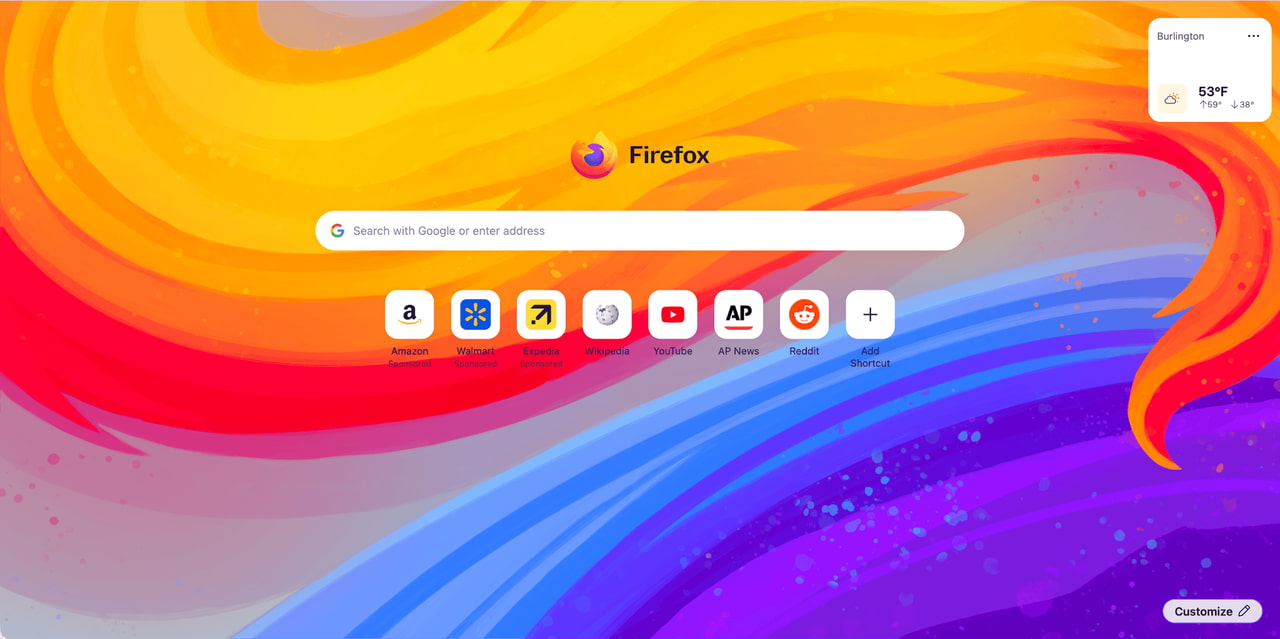
Firefox Home (new tab) has a fresh new look. This layout and design will support future features to be released, including widgets and improved shortcut functionality between versions 151 and 152. It also includes some cool new wallpapers. Click the pencil icon in the bottom right corner to check them out.
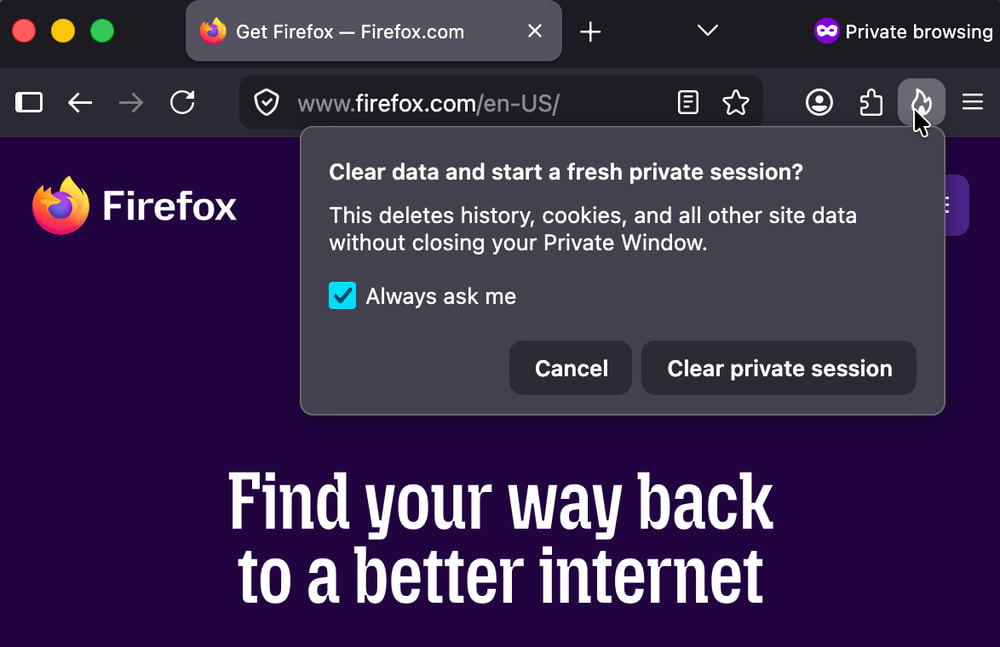
You can now immediately delete all data from your current session in Private Browsing mode without closing the entire window. Selecting the 'End Private Browsing Session' button (flame icon) on the right side of the URL bar will prompt Firefox to confirm the session deletion. Clicking confirm will delete all private browsing data and start a new Private Browsing mode session.
Firefox now strengthens protection against fingerprinting in the 'Standard' enhanced tracking protection. By limiting the amount of information revealed about your device and browser, it makes it harder for websites to track you across the site. This has resulted in an average reduction of approximately 14% in users being uniquely identifiable through common fingerprinting techniques, and a reduction of approximately 49% on macOS.
You can now directly merge multiple PDF files in Firefox PDF Viewer. Combine separate PDF files into a single document without relying on third-party tools or leaving Firefox.
The Translations page (about:translations) is now accessible through the 'Tools' section of the application menu.
Local Firefox profile backup functionality is now available not only on Windows but also on Linux, and restoration is possible across platforms.
URLs copied from iOS devices using Apple's Universal Clipboard can now be properly pasted into Firefox on macOS.
The web page dropdown menu on macOS now uses the default macOS menu style, which matches the rest of the system in appearance and behavior.
Address autocompletion has been enabled for Dutch users.
Firefox's built-in VPN now allows you to choose your browsing location, giving you more granular control over how and where your traffic appears online. You can select from available countries or use 'Recommended' to automatically choose the most suitable connection for your network.

